EGO1/EGO1GS: quick start & index
This manual covers the GI EGO1 and EGO1GS capture devices. All you need is a phone (or any browser) and a computer with Foxglove Studio to capture, review, and retrieve data.
Applicable models
The manual applies to both EGO1 and EGO1GS. The two are operated identically; the main differences are:
- EGO1: stereo cameras, 120° × 70° field of view per camera, 9-DoF IMU at 200 Hz.
- EGO1GS: global shutter, stereo cameras, 157° × 84° field of view per camera, IMU at 400 Hz, stereo microphones, spoken status notices, and optional hand detection.
Both are powered from an external battery, have a physical record switch on the body (I = record, O = stop),
and record .mcap files to the SD card.
Safety
- Stop recording, then unplug. Flip the record switch to O and let the recording finish saving before you disconnect power, or some recorded data may be lost.
- Insert or remove the SD card only while the device is unpowered.
- Protect the cable. Never pull hard on the USB cable or lift the device by it. Route the cable behind the head and secure it, so a head turn cannot tear it out.
Quick start
- Insert the card. Insert an SD card formatted as FAT32 (how to choose one: SD cards).
- Power on. Plug the built-in USB cable into any USB power source (a wall charger, a power bank, or a computer's USB port all work). The device boots as soon as it has power. The indicator LED lights up (EGO1GS also says so out loud) to confirm it is on.
- Record. Flip the record switch on the body to I to start recording to the SD card. The LED blinks while a recording is running. If the switch was already at I at power-on, move it to O, then back to I. You can also start or stop recording and preview the picture in the phone app or web page.
- Stop. When you are done, flip the switch to O first. Wait for the recording to finish saving, then disconnect power.
- Retrieve and view. Connect by USB to copy recordings without removing the card, or power off and use a
card reader. Open the
.mcapfiles in Foxglove Studio (see Retrieve data & view in Foxglove).
Phone app download
The Android package (Visio Companion) is linked from App release notes: each version's build is listed with that version's entry, so you see what changed as you download. The app is also on the iOS App Store (China mainland store) and on Huawei AppGallery. Installing, connecting, and everyday use are covered in Phone app & web preview.
Chapters
-
Know your device — the parts of the headset and how to wear it.
-
SD cards: choosing and preparing — which cards work, formatting, checking for fakes.
-
Power, record, and power off — the recording sequence and what to do after a power cut.
-
Phone app & web preview — browser preview, the Android, HarmonyOS and iOS apps, Wi-Fi setup, firmware upgrade, device settings.
-
Retrieve data & view in Foxglove — copying files off the card, the Foxglove layout, fixing a blank video panel.
-
FAQ — symptoms and fixes.
-
Engineering integration & data format — MCAP channels, the
visio-schemaPython package,visio-display, timestamps, calibration. -
Scan-to-Configure (admin) — provision a whole configuration from one QR code.
-
Cloud upload & fleet status (admin) — automatic upload to your own bucket and the fleet status dashboard.
-
App release notes — what changed in each Visio Companion version.
-
Firmware release notes — what changed in each firmware version, and which versions are deprecated.
-
Recording encryption (admin) — encrypt recordings on the card with a team key.
-
Hand detection — on-device hand detection on EGO1GS.
-
Support & repairs (RMA) — send diagnostic reports, request a repair, and track progress.
Files referenced by the chapters are collected on Downloads.
Under the hood
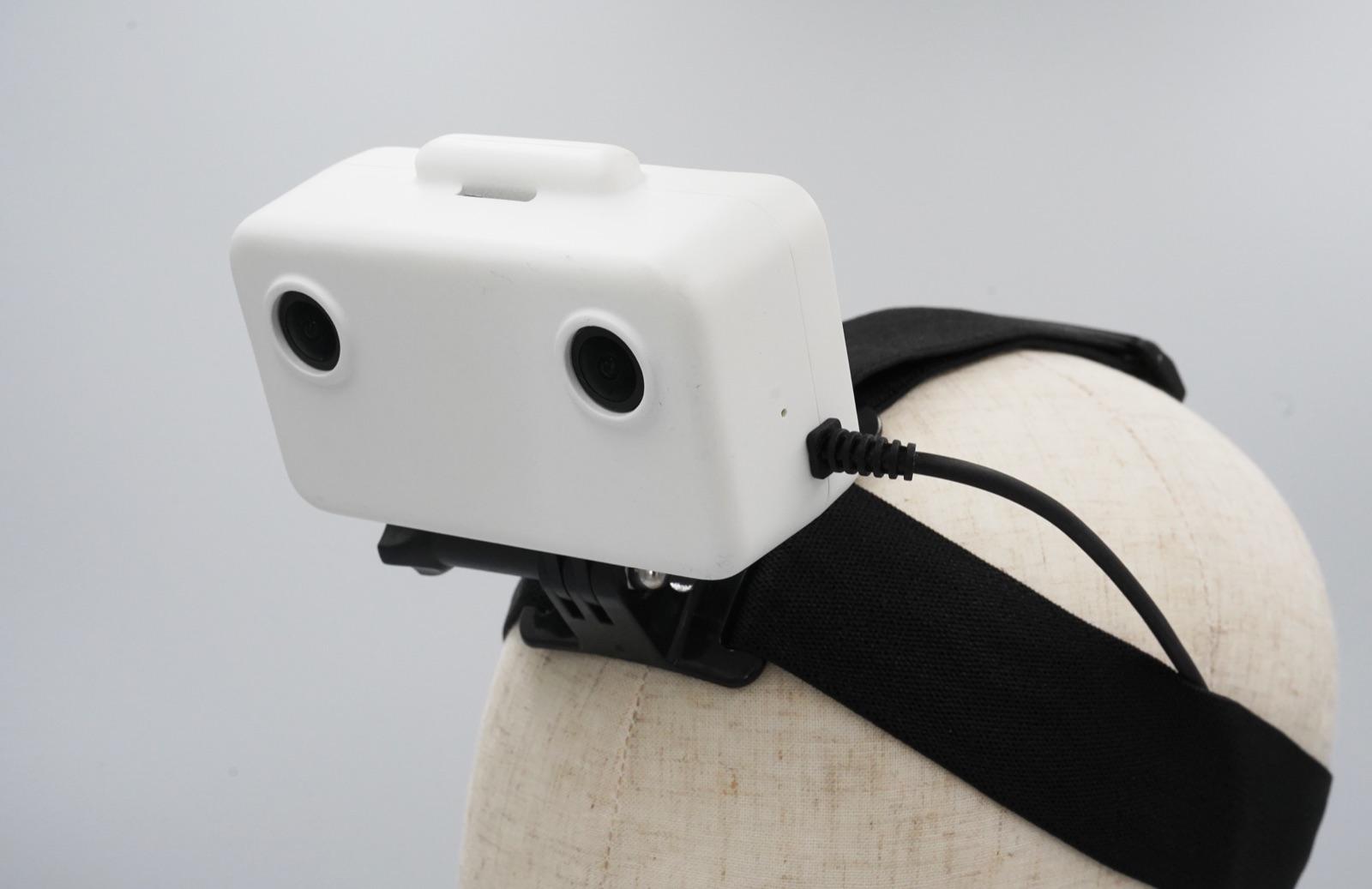
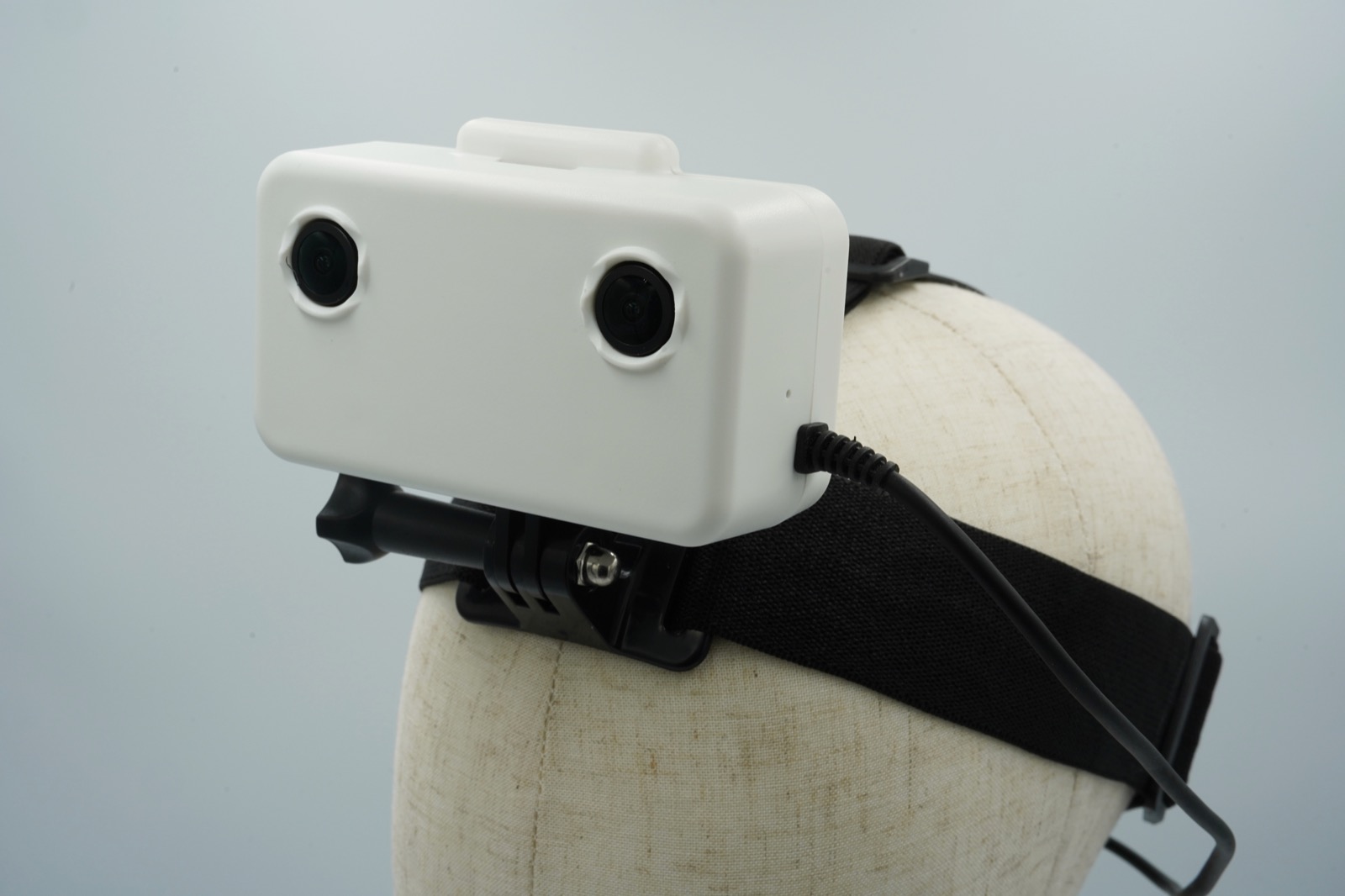
EGO1 (left) and EGO1GS (right)
Which one do I have?
Open the device in the Visio Companion app and look at Device info → Hardware version:
| Hardware version | Variant |
|---|---|
ego_v2 | EGO1 |
audio_ego_v3 | EGO1GS |
The same two names label the hardware picker under Settings → Firmware downloads. Firmware is not interchangeable between them; see Firmware upgrade (OTA).
Two physical tells: EGO1GS has a speaker and says "device ready" out loud when powered on. And the 8-character
device code (the XXXXXXXX in the GILABS-XXXXXXXX hotspot name) is printed on the sticker on the back of
every unit.
Specifications
| EGO1 | EGO1GS | |
|---|---|---|
| Shutter | Rolling shutter | Global shutter |
| Field of view (per camera) | 120° × 70° | 157° × 84° |
| Cameras | 2 × 1080p @ 30 fps, color, H.265 encoded on device | 2 × 1080p @ 30 fps, color, H.265 encoded on device |
| Capture resolutions | 1920×1080 (default), 1600×1296, 1600×1200 | 1920×1080 (default), 1728×1200 |
| IMU | 9-DoF, 200 Hz | 9-DoF, 400 Hz |
| Microphones | — | Stereo, 16 kHz (recording toggle in the app) |
| Speaker / voice notices | — | Yes, English or Chinese, follows the app language |
| Hand detection on device | — | Yes, toggle in the app, default off |
| Video bitrate | 4 / 6 / 8 / 10 Mbps presets, default 8 | 4 / 6 / 8 / 10 Mbps presets, default 8 |
| Storage | MicroSD, FAT32 (exFAT and ext4 also work) | MicroSD, FAT32 (exFAT and ext4 also work) |
| Power | External USB power over the built-in cable | External USB power over the built-in cable |
| Recording control | Physical switch (I = record, O = stop), the app, or the setup page | Physical switch (I = record, O = stop), the app, or the setup page |
| Connectivity | Wi-Fi: own 5 GHz hotspot (falls back to 2.4 GHz) or your network; USB | Wi-Fi: own 5 GHz hotspot (falls back to 2.4 GHz) or your network; USB; Bluetooth control (firmware 1.1.6+, opt-in) |
| Cloud upload | Aliyun OSS, AWS S3, Tencent COS, Google Cloud Storage, Azure Blob | Aliyun OSS, AWS S3, Tencent COS, Google Cloud Storage, Azure Blob |
| Recording format | MCAP (.mcap), protobuf schemas embedded | MCAP (.mcap), protobuf schemas embedded |
What differs and why global shutter matters
A rolling shutter exposes the sensor one row at a time, top to bottom. Every frame is a slight time-smear rather than a single instant: when the camera moves quickly, straight edges lean and wobble ("skew" or "jello"), and under LED or fluorescent light you can get horizontal banding. A global shutter exposes every pixel at the same instant. There is no skew and no banding no matter how fast the wearer turns their head. A head-worn camera lives in exactly the motion regime rolling shutter handles worst, so this matters more here than for most cameras.
The field of view is the second big difference. EGO1GS sees 37° more horizontally, which is what keeps both of the wearer's hands in frame through a full reach rather than only in front of the body. If the task involves wide arm movement, that matters as much as the shutter does.
Choose EGO1GS when the wearer moves quickly, when recordings feed SLAM / VIO, photogrammetry, or any pipeline that tracks features across frames, when you need geometric accuracy from single frames, or when you want audio and spoken feedback. EGO1 remains a good fit for slower, deliberate tasks where the head is relatively steady and audio isn't needed.
Both variants deliver a hardware-synced 30 fps stereo pair. Global shutter changes how each frame is exposed, not how many you get.
What's in the box
| Item | Qty | Notes |
|---|---|---|
| Headset | 1 | EGO1 or EGO1GS, with the built-in USB cable |
| MicroSD card | 1 | Movespeed A1 V30 128 GB, pre-formatted FAT32, ready to use — see SD cards |
| USB power bank | 0 | User-supplied; runtime scales with the pack's capacity |
You also supply a phone (or any device with a browser) and a computer for review.
How a session works
  Insert SD card ─► Plug in USB power ─► Record ─► Stop ─► Collect ─► Review
                      (status LED)      (switch,   (switch,  (cloud or  (MCAP viewer)
                                         app, or    app, or   SD card)
                                         web page)  web page)
- Insert a MicroSD card and power the device from any USB source. The status LED lights up.
- Record: flip the record switch, or start capture from the app or the device's own setup page. The LED blinks while a session is running.
- Stop the recording and let it finish saving before you remove power.
- Collect the recordings, either automatically by
uploading to your own cloud bucket or manually by
pulling the MicroSD card, then open the
.mcapfiles in Foxglove Studio or any other MCAP viewer.
Getting data off the device
| Path | Best for | Notes |
|---|---|---|
| MicroSD card | Bulk offload after a field day, no network | Pull the card and copy the .mcap files off |
| Wi-Fi upload | Unattended fleet collection | The device uploads finished recordings to your own bucket by itself |
| USB | Getting files off without opening the housing | The card is exposed to a connected computer as Visio Storage, an MTP device for copying and deleting recordings |
Live preview is separate from all three: it confirms the shot while you work, and is never the file you keep.
Mixing variants in one dataset
You can, but treat them as two different cameras, because they are:
- Calibration differs per unit and per variant. Every recording carries its own intrinsics and extrinsics; read them from the file rather than hard-coding one set. See Calibration data.
- Optics differ. 120° × 70° on EGO1 against 157° × 84° on EGO1GS means a markedly shorter focal length and a different distortion curve. A pipeline that hard-codes one camera model across a mixed dataset is wrong for half of it.
- IMU rates differ: 200 Hz against 400 Hz. A hard-coded sample period is wrong for one variant.
- Only EGO1GS recordings have an audio channel (and, when enabled, a hand-detection channel). Consumers must tolerate their absence.
- Rolling-shutter recordings carry skew that global-shutter recordings don't. For geometric accuracy that is a systematic difference between the two halves of the dataset, not noise.
Record the variant alongside the data. Each recording's /device_info carries the device identity, and the
hardware version distinguishes the two.